
Let's talk about gitea
Alright, let's talk about Gitea. This one is close to my heart because if you've read basically any of my other posts you'll have noticed that my entire infrastructure philosophy boils down to "if I can self-host it, I will." Gitea is no exception. It's my self-hosted Git server and at this point it's one of the most central pieces of my whole setup. Everything lives here. And I do mean everything.
What even is Git
If you're already in the industry you can skip this bit. If you're not, Git is a version control system. The idea is pretty simple: instead of having a folder full of files with names like script_final.sh, script_final_ACTUALLY_FINAL.sh, and script_final_v2_USE_THIS_ONE.sh, which we've all done and nobody should admit to, Git tracks changes to your files over time in a structured way.
Every change you make gets committed with a message describing what you did. You can go back to any previous state at any time. You can branch off, try something experimental, and if it all goes horribly wrong you just go back to where you started. It's collaborative too, multiple people can work on the same codebase without constantly overwriting each other's work.
Git is the industry standard for source control at this point. If you're writing code, scripts, configs, playbooks, anything, you should be using Git. Full stop.
So what is Gitea
Git itself is just the underlying system. What most people interact with is a Git hosting platform, something that stores your repositories, gives you a web interface to browse them, handles access control, and adds collaboration features on top. GitHub is the obvious example that most people have heard of. GitLab is another popular one.
Gitea is the self-hosted version of that idea. It's a lightweight, open source Git hosting platform that you run yourself. The interface will feel immediately familiar if you've ever used GitHub, it's clearly inspired by it, but it runs on your own hardware, your data stays where you put it, and you're not dependent on a third party's infrastructure or pricing decisions.
I run mine in Docker, naturally. It's one container, it's fast, it uses very little resources, and it just quietly does its job without complaining. Honestly one of the most well-behaved pieces of software in my entire stack.
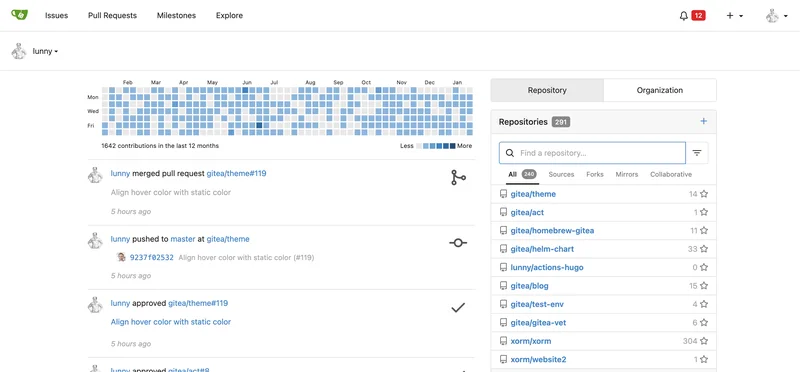
What lives in my Gitea
Everything. And I'm not being dramatic.
All my project repositories are here. Every piece of code I write goes into Gitea. Scripts, applications, configuration files, the lot. If I wrote it, it's in Gitea with a proper commit history so I can see exactly what I was thinking when I made any given change. Sometimes I look back at old commits and genuinely question my past self's decision making, but at least it's documented.
My Ansible playbooks and inventory live here too. If you read my Ansible post you'll know how central those playbooks are to how my infrastructure runs, VM provisioning, configuration management, patching, the whole automated workflow. Having all of that in version controlled repositories means changes are tracked, I can roll back if something breaks, and there's a clear history of every modification made to how my infrastructure is managed. That's important when your playbooks are doing things like automatically provisioning VMs and managing IP assignments. You really want to know what changed and when if something starts behaving unexpectedly.
Git Runners and the image registry - okay this needs some explaining
This is where it gets a bit more interesting and where some people's eyes might glaze over slightly. Stick with me.
Gitea supports Git runners, which are essentially automated workers that execute tasks in response to events in your repositories. The most common use case is CI/CD, Continuous Integration and Continuous Deployment. The idea is that when you push code to a repository, something automatically happens as a result. In my case that something is building Docker images.
Here's the workflow. I push updated code to a repository in Gitea. A runner picks that up, builds a Docker image from the code, and pushes it to my Docker image registry. Which also runs on Gitea, because of course it does.
The image registry is basically a private store for Docker images. Instead of pulling images from Docker Hub, which is the public registry, I can push my own custom images to my private registry and pull them from there. My infrastructure, my images, nobody else involved. When Ansible deploys something or Docker Compose pulls an image, it's pulling from my own registry running on my own Gitea instance.
So the full pipeline looks like this: I write code, push it to Gitea, a runner automatically builds a Docker image from it, that image gets pushed to my private registry, and my infrastructure pulls from that registry when deploying. The whole thing is automated and self-contained. No GitHub Actions, no Docker Hub, no external dependencies. Just my Gitea instance doing everything quietly in the background.
Is it overkill for a home lab? Probably. Do I love it? Absolutely.
Why not just use GitHub
Honestly GitHub is fine. I use it for public stuff and I have nothing against it. But for my internal infrastructure, my Ansible playbooks, my private projects, I want that stuff on hardware I control. I don't want my infrastructure automation sitting in a third party's cloud. I don't want to depend on someone else's service being available for my internal tooling to work. And I definitely don't want to be subject to whatever pricing or feature changes a platform decides to make down the road.
There's also something satisfying about the whole thing being self-contained. My code is built by my runners, stored in my registry, deployed by my automation, running on my infrastructure. It's turtles all the way down and I'm fine with that.
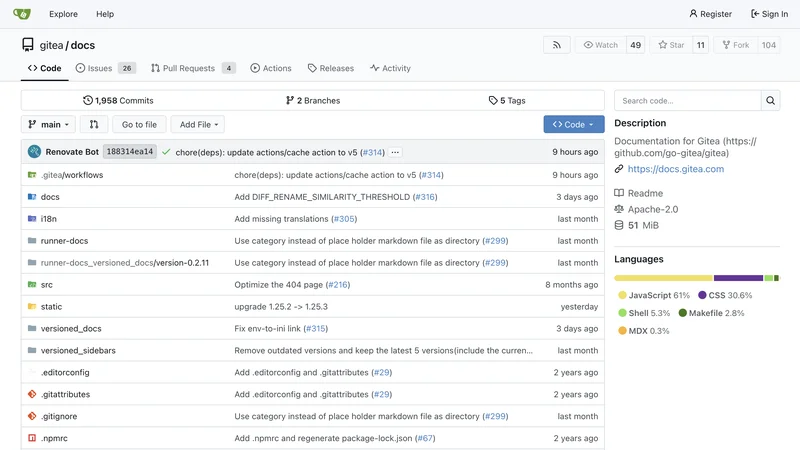
How it fits into the bigger picture
If you've been following this blog series you'll notice that Gitea is actually a thread that runs through a lot of what I've talked about. The Ansible playbooks that provision Proxmox VMs and query SentinelStack's IPAM? Stored in Gitea. The Docker images running various services? Built by Gitea runners and stored in the Gitea registry. Configuration for pretty much everything? In a Gitea repository somewhere.
It's become the central nervous system of the whole lab in a way I didn't fully anticipate when I first set it up. I thought I was just spinning up a convenient place to store code. It turned into the hub that everything else connects back to.
If you're running any kind of home lab or self-hosted setup and you're not version controlling your code and configuration, set up Gitea. Seriously. It's one container, the setup takes twenty minutes, and the discipline of putting everything in version control pays off constantly. Future you will be grateful every single time you need to figure out what changed and why something broke.
And yes, the irony of writing a whole blog post about how everything is in my Git server while the blog itself probably isn't is not lost on me. I'm working on it.